
BildList.exe ... by Chuck Darling
June 26, 2025 in full zip with 00Cedar
From: Chuck Darling
June 26 2025
Writing your own Adventure...
That's what 00Cedar can Do.
It can be a daunting task
if you start from "nothing"...
YouTube videos aren't much help...
" Just write it in C++..."
"Just write it in Python ..."
In other words...
Just be a Competent Professional Programmer, and it's so simple...!
Well,
00Cedar does the heavy lifting for you...
and here's a new Companion "App"
that runs under DosBox:
Place it in your 0 Folder
inside your 00Cedar folder.
Then, run it under DosBox.
It will ask you how many (ADV) beans
you want..
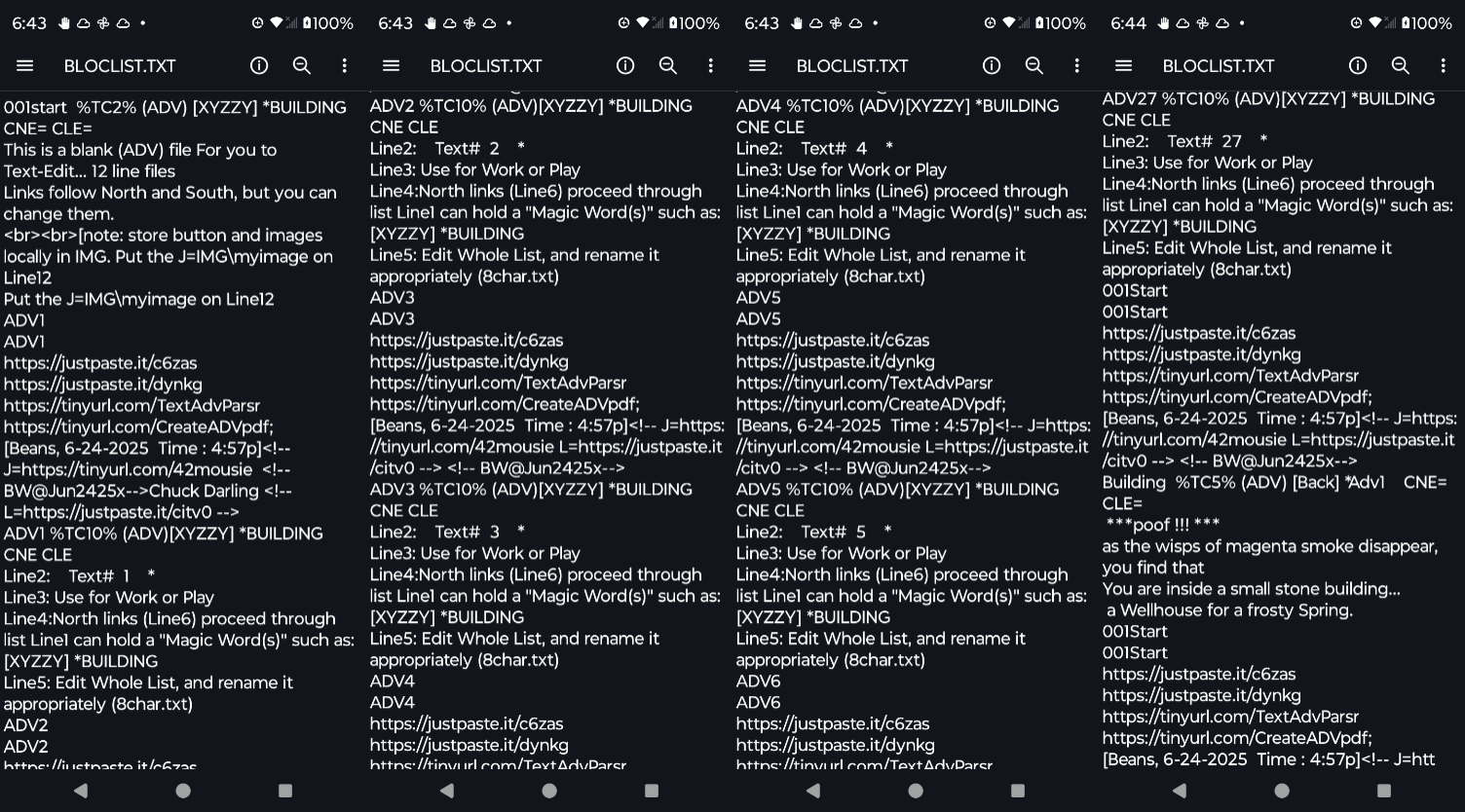
Then it builds a starter beanlist for you,
called BlocList.txt.
Rename it what you want.
Edit the whole list with your text editor.
The list is composed of 12 line bean files,
with no spaces between them.
The file ends on an empty line, ready to
accept new beans from 00Cedar.
In 00Cedar, quit the program with a Q,
You can then run Bildlist by typing
0\ Bildlist
Build your files.
Run 00Cedar by typing 00Cedar
in your 00Cedar Folder.
Type .BLT and notice BlocList.txt
Press a key...
Input BlocList as your "beanlist".
Take a look at the files...
Notice the "Magic Word" XYZZY ...
TYPE XYZZY (enter.)
You're in the building...
Just like magic !
View the HTM files with FileViewer.
One of the buttons calls XYZZY...
Check the links...
Edit your files.
The Line1 of any bean
starts with it's name.
That line will have a %TC on it,
and an (ADV) on it.
Text is on lines 2-5...
Links are filenames on lines 6-11
Line12 has a J= link, describing the image.
Line12 has a L= link, describing the
image-link ...
Read the How-To for more info.
Chuck.
[Chuck's 00Cedar JPICedar ]



[ This page built with JPICedar by Chuck Darling Wednesday June-25-2025 Time : 12:19pm]
https://archive.ph/