
Laptops are an essential part of modern life, whether for work, study, or entertainment. But like any electronic device, they aren’t immune to hardware failures. One of the most critical components in a laptop is the motherboard—the central circuit hub that connects all other hardware components. When a motherboard fails, it can leave users with a difficult choice: opt for professional laptop repair by replacing the motherboard or invest in a brand-new device.
This blog will guide you through the key factors to consider, helping you make an informed decision about whether laptop repair or replacement is the better option for your needs.
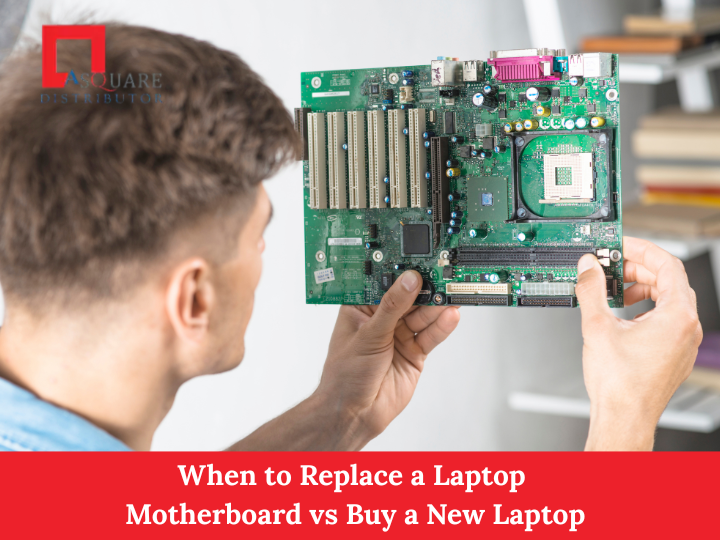
Understanding the Laptop Motherboard
The motherboard, often called the mainboard or logic board, is the backbone of your laptop. It connects the CPU, RAM, GPU, storage drives, ports, and other peripherals. Essentially, it allows all the components to communicate and function together.
When a motherboard fails, it can affect the laptop in various ways:
-
The laptop won’t power on
-
Random shutdowns or restarts
-
Peripheral failures (USB ports, audio jacks, etc.)
-
Display issues or failure to boot
-
Overheating or unusual noises
Motherboard failures can happen due to several reasons:
-
Electrical damage – Power surges or short circuits
-
Overheating – Poor cooling leading to component burnout
-
Physical damage – Dropping the laptop or liquid spills
-
Component failure – Faulty capacitors, GPU, or CPU soldering issues
-
Age-related wear – Older laptops may fail due to degraded circuitry
Understanding the severity of the damage is the first step in deciding whether to repair or replace your laptop.
Signs Your Motherboard May Need Replacement
Before deciding, you need to confirm that the motherboard is indeed the problem. Common signs include:
-
Laptop won’t start at all even after replacing the battery or charger
-
POST failure – Power-On Self Test doesn’t complete
-
Random shutdowns or freezes with no clear software cause
-
No display output, even when the laptop powers on
-
Peripheral or port failures, like USB, HDMI, or Ethernet
-
Burnt smell or visible damage on the motherboard itself
While some of these issues could be caused by other components (like RAM, hard drive, or battery), diagnosing a motherboard failure usually requires a technician or professional diagnostic tools.
When to Consider Replacing the Motherboard
Replacing a motherboard can be worth it in certain situations:
-
High-end or specialized laptops: Gaming laptops, business ultrabooks, or laptops with expensive configurations (like 32GB RAM, high-end CPUs, or NVMe SSDs) may justify a motherboard replacement.
-
Recent purchase: If your laptop is relatively new (1–3 years) and still under warranty or repair cost is reasonable, replacing the motherboard may be cheaper than buying a new device.
-
No other hardware issues: If only the motherboard is faulty, and other components (CPU, RAM, SSD) are still functional, replacement preserves your investment.
-
Data preservation: Replacing the motherboard allows you to continue using the same internal storage, which can be important if data recovery is difficult.
When to Consider Buying a New Laptop
Sometimes, replacing the motherboard is not the most practical solution. Consider buying a new laptop if:
-
Older laptop (4–6+ years): Older laptops may have outdated CPUs, RAM, and storage, making a motherboard replacement less valuable.
-
High repair cost: If the motherboard replacement costs more than 50–70% of a new laptop, buying new is often wiser.
-
Multiple hardware issues: If your laptop has additional problems like a failing battery, display, or keyboard, investing in a new laptop may be more economical.
-
Outdated technology: If your laptop cannot support modern software, operating systems, or connectivity standards, replacement ensures better performance.
-
Warranty and support: Older models may no longer have replacement motherboards available, or repairs may take longer due to part scarcity.
Cost Comparison: Repair vs Replace
Repair costs depend on your laptop model and the source of replacement motherboards:
-
Motherboard replacement cost: $150–$600 (or more for gaming/business laptops)
-
Labor charges: $50–$150
-
New laptop cost: $400–$1,500 depending on specs
Example:
-
Mid-range laptop motherboard repair: $250
-
New mid-range laptop: $500
In this scenario, replacing the motherboard might make sense if your laptop is still fast, has no other issues, and you want to keep your existing storage. However, if other components are aging, a new laptop may provide more value and longevity.
Pros and Cons: Motherboard Replacement
Pros:
-
Keeps your existing laptop intact
-
Retains current data and peripherals
-
Cheaper for high-end laptops compared to a new purchase
-
Less waste, environmentally friendly
Cons:
-
Expensive for older or budget laptops
-
Availability of exact replacement parts may be limited
-
No guarantee other components won’t fail soon
-
Downtime during repair
Pros and Cons: Buying a New Laptop
Pros:
-
Latest hardware and software compatibility
-
Full warranty and manufacturer support
-
Improved performance and battery life
-
Long-term reliability
Cons:
-
Higher upfront cost
-
Need to transfer data and reinstall software
-
Environmental impact of discarding old laptop
Steps to Decide
To make the right decision, follow these steps:
-
Diagnose the laptop: Confirm that the motherboard is the cause of the problem. Professional diagnosis is recommended.
-
Check warranty: If your laptop is under warranty, repair might be free or subsidized.
-
Compare costs: Get a quote for motherboard replacement and compare it to a new laptop price.
-
Consider age and specs: Older laptops with outdated specs are better replaced than repaired.
-
Factor in downtime: Consider how long you’ll be without a laptop during repair.
-
Data needs: If critical data is stored internally and a new laptop complicates access, repair might be better.
Tips to Extend Laptop Motherboard Life
Prevention is always better than repair. To prolong the lifespan of your laptop motherboard:
-
Avoid overheating: Use cooling pads and clean dust regularly
-
Keep liquids away from the laptop
-
Use a surge protector or UPS
-
Update BIOS and drivers regularly
-
Avoid overloading USB or peripheral ports
Conclusion
Deciding between replacing a laptop motherboard or buying a new laptop depends on factors like age, repair cost, laptop specifications, and data needs.
-
Replace the motherboard if your laptop is recent, high-end, and other components are in good shape.
-
Buy a new laptop if your device is old, has multiple issues, or the repair cost is close to a new purchase.
Ultimately, evaluating cost, performance, and convenience will help you make the smartest decision and ensure uninterrupted productivity.