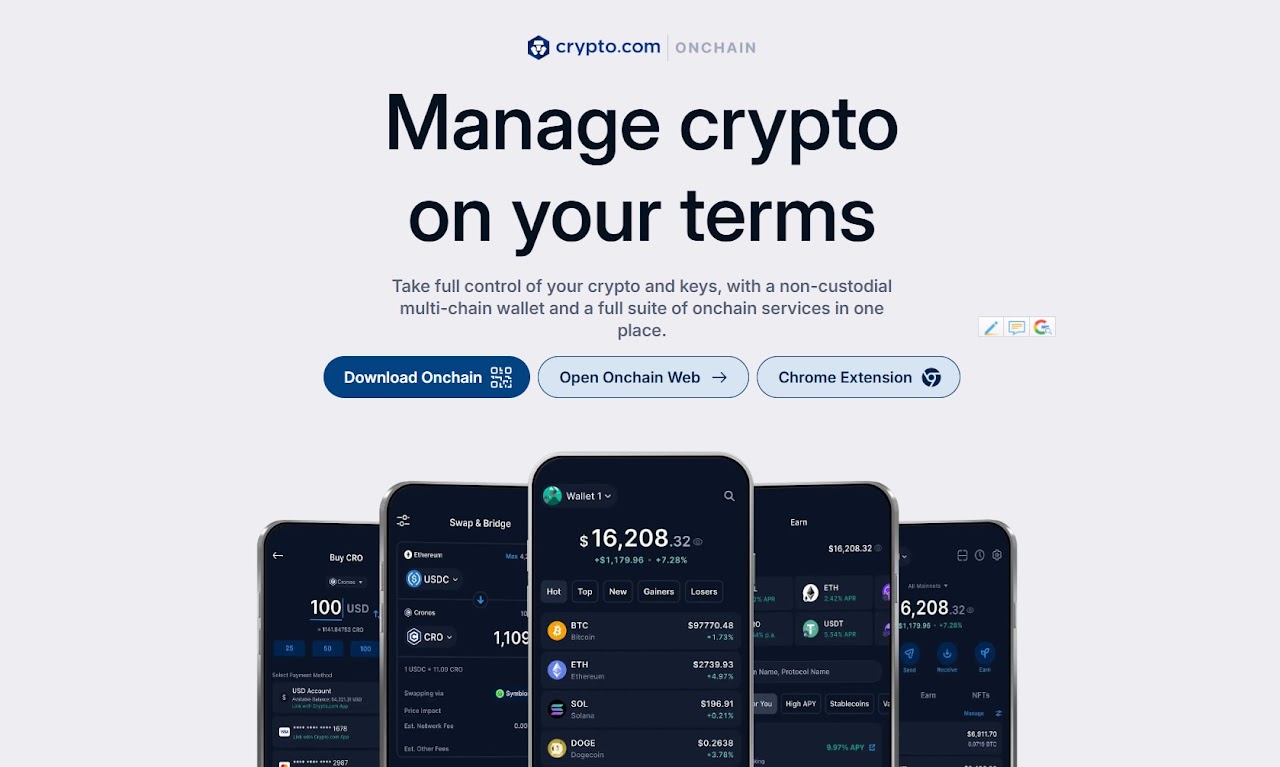
Cryptocurrency is changing the way people manage digital assets, interact with blockchain networks, and explore decentralized applications. A digital wallet plays an important role in this experience by providing tools to store, send, receive, and manage supported cryptocurrencies. The Crypto.com Wallet is designed for users who want to explore self-custody and access a range of blockchain-based services.
The Crypto.com Onchain Wallet and its browser extension offer ways to interact with supported digital assets and Web3 applications. This guide explains the wallet's purpose, important features, setup considerations, and security practices for beginners.
What Is Crypto.com Wallet?
Crypto.com Onchain Wallet is a non-custodial cryptocurrency wallet. In a non-custodial wallet, users maintain control of their wallet's private keys and are responsible for protecting their recovery information. This differs from a custodial exchange account, where a service provider manages the keys on behalf of its customers.
The Crypto.com Wallet Extension is a browser-based tool that allows users to access wallet features and connect with compatible decentralized applications. It can be useful for people who prefer managing blockchain activities from their desktop browser.
The extension supports multiple blockchain networks and a broad range of digital assets, although availability may depend on the network, region, and current software version. <Cite refs={["turn234196search0","turn234196search4"]}/>
Key Features of Crypto.com Wallet Extension
Multi-Chain Asset Management
The Crypto.com Wallet Extension provides access to supported cryptocurrencies across different blockchain networks. Users can review available assets, manage wallet accounts, and organize their digital holdings through the wallet interface.
Before transferring cryptocurrency, always confirm that the receiving address and selected blockchain network are compatible.
Web3 and Decentralized Applications
The wallet extension can connect with compatible decentralized applications, commonly called dApps. These applications may provide access to decentralized finance, digital collectibles, blockchain games, and other Web3 experiences.
When connecting to a dApp, review the requested permissions carefully. A wallet connection does not automatically mean that an application is trustworthy.
Send and Receive Cryptocurrency
Users can send supported digital assets to other wallet addresses and receive cryptocurrency from external wallets or compatible platforms.
Before confirming a transaction, carefully check the recipient address, network, amount, and applicable transaction fee. Blockchain transfers are generally irreversible, so accuracy is essential.
Wallet Creation and Import
The extension allows users to create a new wallet or import an existing compatible wallet. Importing may require recovery information or another supported method.
Always use the wallet's verified application or extension when creating or importing a wallet. Never enter recovery information into an unfamiliar website.
How to Get Started With Crypto.com Wallet
Getting started with the Crypto.com Wallet Extension involves a few basic steps.
First, visit the verified Crypto.com website or its official browser extension listing. Check the publisher information and domain carefully before installing the software.
Next, install the extension in a supported browser and open it. You may choose to create a new wallet or import an existing one, depending on your needs.
If you create a new wallet, follow the setup instructions and establish the required password or security settings. The wallet may provide a recovery phrase that serves as a backup for restoring access.
Write the recovery phrase down and store it in a secure, private location. Do not save it in screenshots, email messages, or online documents.
Once setup is complete, explore the wallet interface and review the available blockchain networks and supported assets.
Understanding Wallet Security
Security is one of the most important considerations when using a cryptocurrency wallet. Since a non-custodial wallet gives users responsibility for their private keys, protecting wallet credentials is essential.
Keep your recovery phrase confidential and never share it with customer-support representatives, social-media accounts, or websites. Anyone who obtains your recovery phrase may be able to access your funds.
Use a strong wallet password, keep your browser updated, and avoid installing suspicious extensions. Be cautious of messages claiming that your wallet requires urgent verification or synchronization.
Before approving a transaction, review the details displayed by your wallet. If a transaction request seems unexpected or unclear, do not approve it until you understand what it does.
Crypto.com Wallet and Self-Custody
Self-custody provides users with direct control over their cryptocurrency wallet credentials. However, this responsibility also means that losing access to recovery information can create serious problems.
A recovery phrase should be backed up before relying on a wallet for significant digital assets. Users should also understand that wallet software does not eliminate cryptocurrency price volatility, blockchain transaction risks, or the possibility of interacting with malicious applications.
Responsible wallet management involves both technical security and informed decision-making.
Frequently Asked Questions
Is Crypto.com Wallet the same as the Crypto.com App?
No. Crypto.com Onchain Wallet is a non-custodial wallet, while the Crypto.com App generally provides custodial exchange and account services. Their features and responsibilities differ.
Is Crypto.com Wallet Extension available for browsers?
The extension has been offered for supported browsers such as Chrome and Brave. Check the official download information for current availability. <Cite refs={["turn234196search0"]}/>
Can I recover my wallet if I lose my device?
A compatible wallet can generally be restored using its properly backed-up recovery phrase or another supported recovery method. Keep your backup secure.
Does Crypto.com Wallet guarantee profits?
No. A cryptocurrency wallet is a tool for managing digital assets. It does not guarantee investment returns or prevent market losses.
Conclusion
Crypto.com Wallet introduces users to a practical way of exploring cryptocurrency management and Web3 applications. With features for supported asset management, blockchain connectivity, and wallet access through a browser extension, it can serve as a useful tool for people interested in self-custody.
The most important part of using any cryptocurrency wallet is maintaining good security habits. Verify software sources, protect your recovery phrase, check transaction details, and remain cautious of suspicious links. Understanding these basics can help users approach the Crypto.com Wallet ecosystem more responsibly.