
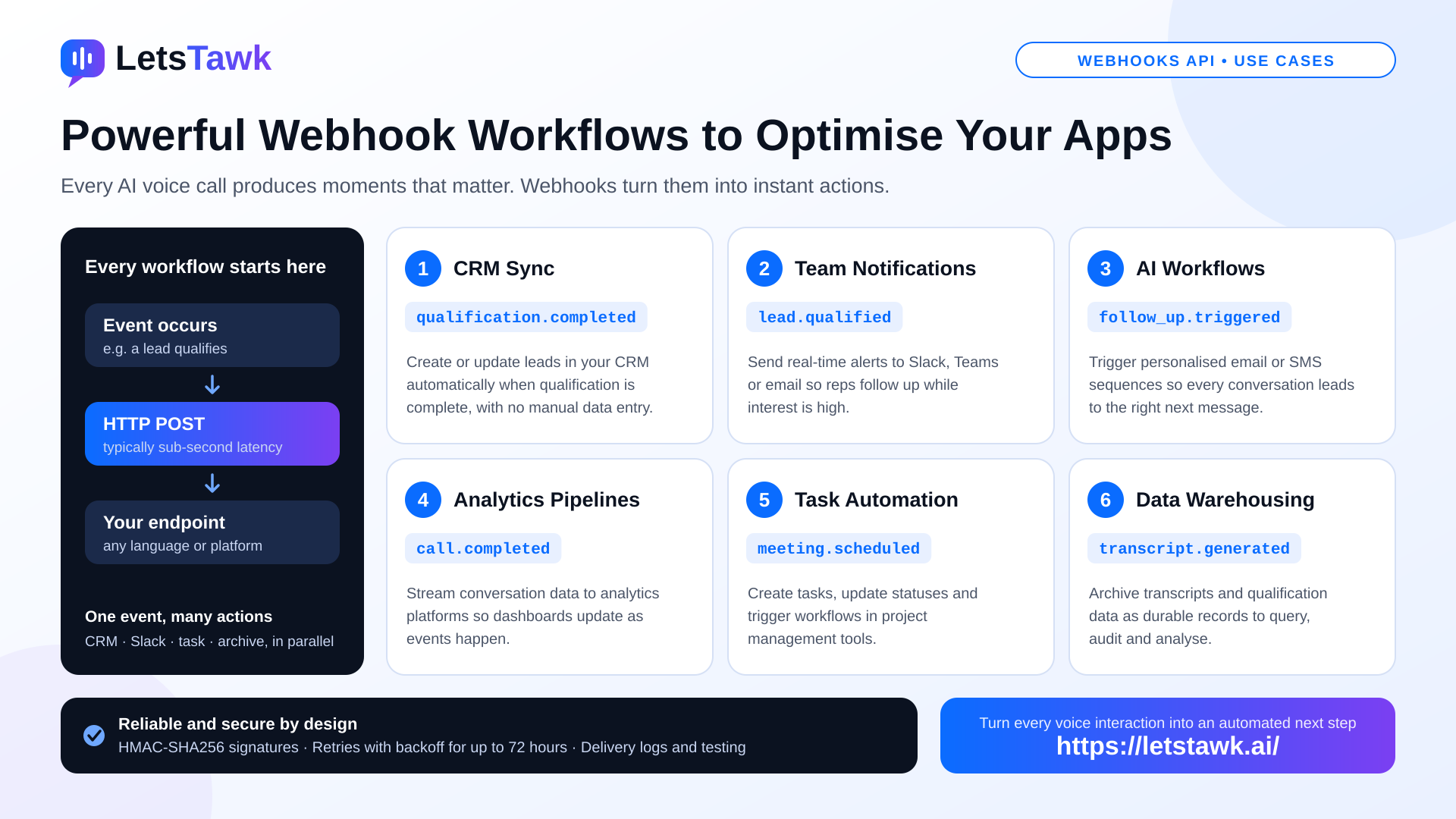
Every AI voice call produces valuable moments: a lead qualifies, a transcript is ready, a meeting is booked. Webhooks turn those moments into triggers, so your applications act the instant something happens instead of waiting to be asked. Here are six workflows developers are building with Letstawk webhooks, and how to make them dependable.
How Every Workflow Starts
When a subscribed event occurs, Letstawk sends an HTTP POST request to your endpoint, typically within sub-second latency. You can subscribe to call lifecycle events (initiated, in progress, completed, failed), qualification, transcript, lead, meeting, and follow-up events. Each workflow below simply pairs an event with an action.
1. CRM Sync
Automatically create or update leads in your CRM when qualification is complete. A qualification event arrives with the lead's details, your handler writes them to the CRM, and sales teams see fresh, accurate records without manual data entry.
2. Team Notifications
Send real-time alerts to Slack, Teams, or email when a lead qualifies. Hot leads cool quickly, so an instant message to the right channel lets a representative follow up while interest is high.
3. AI Workflows
Trigger AI-powered actions such as personalised email or SMS sequences. Call outcomes and follow-up events can start tailored outreach automatically, so every conversation leads to the right next message.
4. Analytics Pipelines
Stream conversation data to analytics platforms for real-time insights. Instead of exporting reports later, completed-call and transcript events feed dashboards as they happen, helping teams spot trends, objections, and performance changes quickly.
5. Task Automation
Create tasks, update statuses, and trigger workflows in project management tools. A scheduled meeting or follow-up event can open a ticket, assign an owner, and move a card forward without anyone copying details across systems.
6. Data Warehousing
Archive call transcripts and qualification data in your data warehouse for analysis. Each transcript event becomes a durable record you can query, audit, and combine with other business data.
Combine Workflows for Bigger Wins
One event can drive several actions at once. A single completed call could update the CRM, alert the sales channel, create a follow-up task, and archive the transcript in parallel. Because webhooks work with any language, framework, or platform that accepts HTTP requests, including serverless options such as AWS Lambda, Google Cloud Functions, and Azure Functions, you can fan out to whatever services you already use.
Keep Workflows Reliable and Secure
Automation is only as good as its delivery. Letstawk gives you the tools to build with confidence:
-
Verify authenticity: HMAC-SHA256 signatures help confirm each payload is genuine, and HTTPS plus IP allowlisting add protection.
-
Survive outages: failed deliveries are retried with exponential backoff for up to 72 hours, and webhook.failed notifications alert you to problems.
-
Test and monitor: a dashboard testing tool and delivery logs help you debug before and after launch.
-
Design defensively: handle duplicate deliveries and process events safely.
Get Started in Six Steps
Create a public HTTPS endpoint, subscribe to the events you need, process each payload and trigger your action, verify signatures, rely on automatic retries, and monitor delivery status, response times, and error rates from the dashboard.
Try Letstawk
Whether you want cleaner CRM data, faster team alerts, or real-time analytics, Letstawk webhooks make event-driven workflows simple to build and dependable to run. Explore the Webhooks API at letstawk.ai and start turning every voice interaction into an automated next step. Try Letstawk today and see how much more your apps can do.