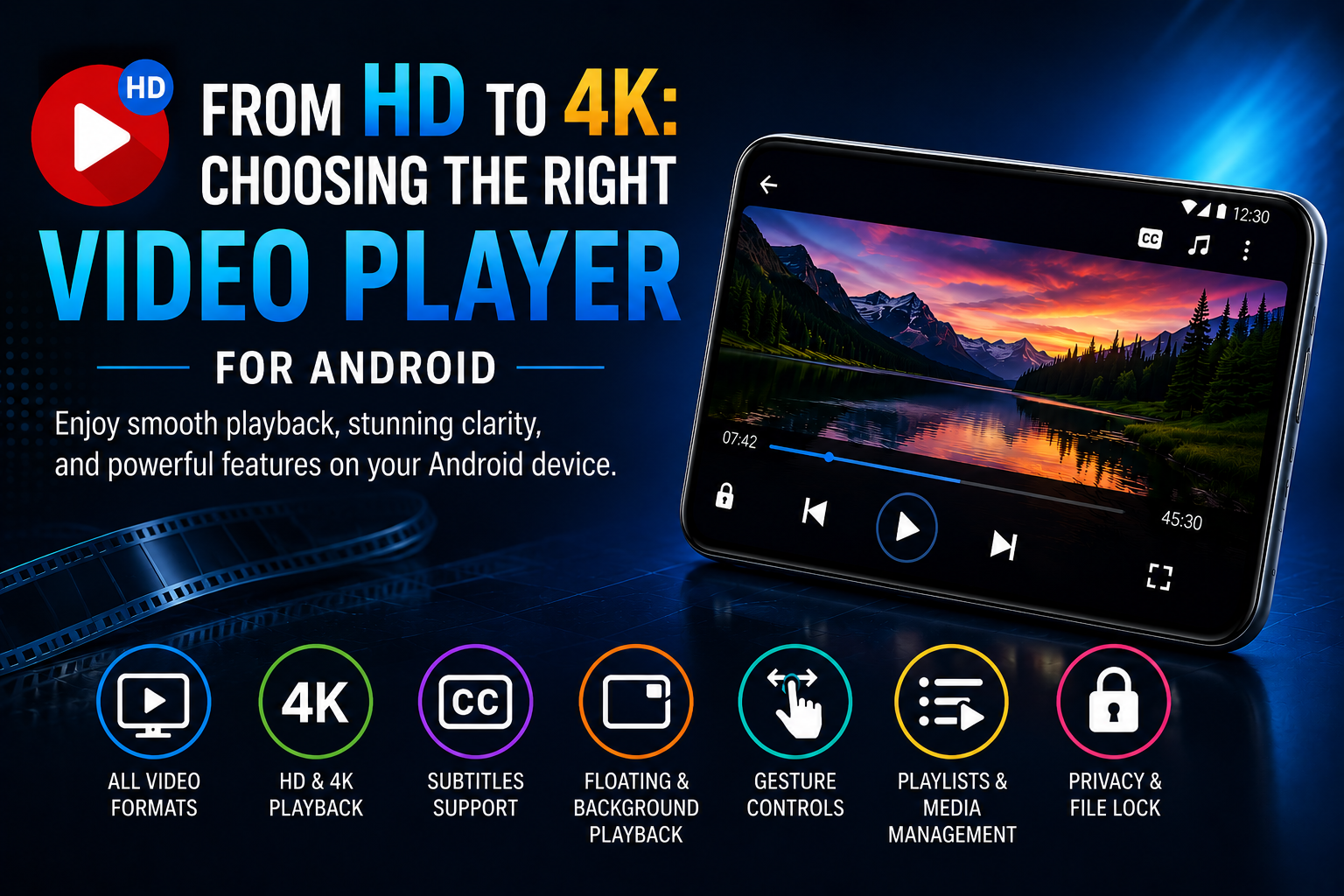
High-resolution video has changed the way people consume entertainment and digital content on smartphones. From Full HD movies and tutorials to 4K travel videos and personal recordings, modern Android devices are capable of delivering impressive visual quality. However, having a high-resolution screen is only one part of the experience. The video player also plays an important role in how smoothly and conveniently that content can be enjoyed.
Choosing the right Android video player means looking beyond basic playback. Format compatibility, performance, subtitles, playback controls, multitasking features, media organization, and customization can all contribute to a better viewing experience.
Why Choosing the Right Video Player Matters
Not every video file is created in the same format or resolution. Users may have MP4, MKV, MOV, AVI, FLV, WMV, and other media files stored on their devices. A video player with broad format compatibility can eliminate the need to convert files before watching them.
Resolution is another important consideration. HD and 4K videos contain significantly more visual information than standard-definition content, which means playback can require more processing power. A capable player should therefore be optimized to handle high-resolution content efficiently.
HD vs. 4K: Understanding the Difference
What Is HD Video?
HD, or High Definition, provides substantially greater detail than standard-definition video. Full HD content commonly uses a resolution of 1920 × 1080 pixels, making it suitable for movies, online videos, tutorials, and everyday multimedia content.
On smartphones with quality displays, Full HD playback can provide sharp images and clear details without placing as much demand on the device as higher resolutions.
What Is 4K Video?
4K video provides a much higher level of detail, with approximately four times as many pixels as Full HD when comparing common 3840 × 2160 and 1920 × 1080 resolutions.
This additional detail can be especially noticeable on large screens and when watching visually rich content. However, 4K playback can also require greater processing capability and sufficient device resources.
For this reason, users who regularly watch 4K content should choose a video player designed to handle high-resolution media smoothly.
Look for Wide Format Compatibility
One of the most practical features of a video player is its ability to support different media formats.
A versatile player should ideally handle popular formats such as:
MP4, MKV, M4V, MOV, AVI, 3GP, FLV, WMV, TS, MPG
Broad compatibility allows users to play different types of downloaded, recorded, or transferred media without repeatedly converting files.
For people with large and diverse media collections, this can save both time and storage space.
Performance Is Essential for Smooth Playback
High-quality video requires more than just a compatible file format. Playback performance can have a significant impact on the viewing experience.
Hardware Acceleration
Hardware acceleration can help compatible devices process video more efficiently by making use of dedicated hardware capabilities. This can be particularly useful when playing demanding HD and 4K content.
A modern video player may offer hardware-accelerated decoding options to improve playback performance and reduce unnecessary processing demands.
Responsive Playback Controls
Smooth playback should also be accompanied by responsive controls. Users should be able to pause, resume, seek, adjust volume, change brightness, and modify the viewing experience without unnecessary delays.
A well-designed player combines performance with simple controls so that technology does not get in the way of entertainment.
Subtitles and Audio Support
Subtitles have become an important part of modern video consumption. They can be useful when watching foreign-language content, educational videos, interviews, or videos in environments where audio cannot be played loudly.
A good video player should make subtitle management convenient and support different audio configurations where possible.
Features such as dual-audio support and playback-speed controls can also provide users with greater flexibility.
Make Multitasking Easier With Floating Playback
Smartphones are increasingly used for multitasking. Users may want to continue watching a video while checking messages, browsing the web, or using another application.
Floating Video Player
A floating or pop-up player can keep video content visible in a smaller window while other activities are performed on the device.
Split-screen playback can provide another useful option, particularly on Android devices with larger displays.
Background Playback
Background playback is particularly useful when the visual component is not essential—for example, when listening to the audio of an interview, tutorial, lecture, or music video.
These features can make a video player more flexible for everyday use.
Smart Gesture Controls Improve Convenience
Touch controls are an essential part of mobile video playback. Gesture-based controls can make common adjustments faster and more intuitive.
For example, a video player may allow users to control:
- Volume
- Screen brightness
- Playback progress
- Zoom
- Aspect ratio
- Screen rotation
Gesture controls can reduce the need to repeatedly open menus, creating a more seamless viewing experience.
Organize Your Growing Media Collection
As smartphones accumulate more videos, finding a specific file can become increasingly difficult. A useful video player should therefore offer more than playback.
Search and Playlists
Search functionality can help users quickly locate specific files, while playlists can make it easier to group videos according to categories, genres, or personal preferences.
Recently played lists and resume-playback features can also save time when returning to content later.
File Management
A built-in media library or file-management system can provide a more organized way to browse videos stored on a smartphone or memory card.
This becomes particularly useful for users who regularly transfer or download large amounts of multimedia content.
Privacy and Personalization Matter Too
Video players may contain personal recordings, family videos, or other content that users do not necessarily want others to access.
Privacy-focused features such as file protection and PIN-based access can provide additional control over selected media.
Customize the Viewing Experience
Personalization can also improve usability. Options such as night mode, custom themes, color styles, and different interface configurations allow users to create a viewing environment that suits their preferences.
Although these features do not directly affect video resolution, they can make regular interaction with the application more comfortable.
What to Consider Before Choosing a Video Player
Before installing a video player, Android users should consider several key factors:
- Format Support – Make sure the player supports the video formats you commonly use.
- HD and 4K Compatibility – Check whether the player can handle your preferred video resolutions.
- Playback Performance – Hardware acceleration and efficient decoding can help with demanding content.
- Subtitle Support – Useful for multilingual and accessibility needs.
- Gesture Controls – Convenient for adjusting brightness, volume, and playback position.
- Floating and Background Playback – Helpful for multitasking and audio-focused content.
- Media Organization – Search, playlists, file management, and playback history can simplify large libraries.
- Privacy Features – Useful for managing personal or private media.
- Customization – Themes and display options can improve the overall user experience.
A Feature-Rich Option for Android Users
For users looking for a versatile solution, HD Video Player All Formats combines several useful playback and media-management capabilities in one Android application.
The app supports HD, Full HD, Ultra HD, and 4K video playback along with a broad selection of video formats. It also offers features such as hardware acceleration, subtitle support, floating and background playback, gesture controls, playlists, media search, file management, and personalization options.
Users interested in exploring these features can find HD Video Player All Formats on Google Play:
HD Video Player All Formats – Google Play
https://play.google.com/store/apps/details?id=com.rocks.music.videoplayer
The Future of Mobile Video Playback
As smartphone displays become sharper and mobile devices become more powerful, high-resolution video will continue to become more common. However, better hardware alone does not guarantee a great viewing experience.
The software responsible for decoding and controlling video remains equally important. A well-designed player can bring together compatibility, performance, intuitive controls, multitasking features, and media organization to create a more complete multimedia experience.
For Android users, selecting a video player based on actual viewing habits and device capabilities can make HD and 4K content significantly more convenient to enjoy.
Conclusion
Choosing the right video player for Android is about more than selecting an application that can open a video file. Users should consider format compatibility, HD and 4K playback, performance, subtitles, gesture controls, floating playback, background audio, media organization, privacy, and customization.
Whether you regularly watch Full HD movies or have started building a collection of 4K content, a feature-rich video player can help you get more from your Android device. By evaluating the features that matter most to your viewing habits, you can create a smoother, more flexible, and more enjoyable mobile entertainment experience.