
Tutorial for the group: t.me/cryptoclubpump
📚 HOW TO BUY ON HOTBIT 📚
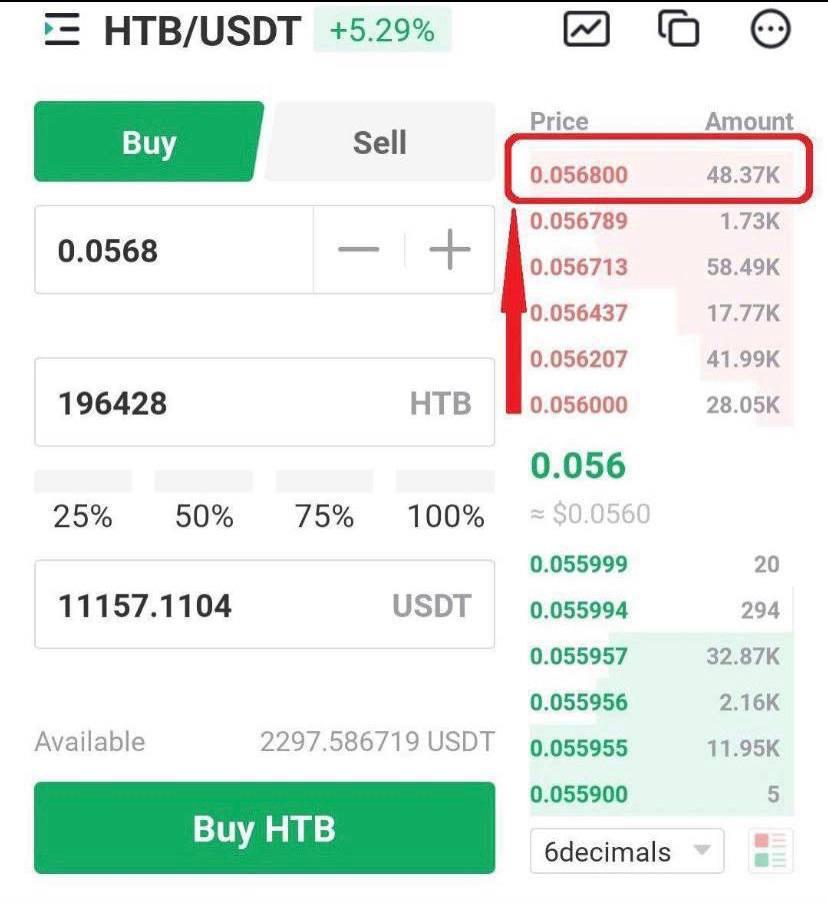
PRACTICE THIS PROCESS BEFORE THE PUMP IF YOU ARE NEW TO HOTBIT!
1) Search for the coin
Go to ‘exchange’ or ‘trade’ if you’re using the Hotbit app. Click the 3 lines in the top left corner, then select ‘Global’. Search for the coin in Global only.
2) Set your Buy Price
Click the top right price section, circled in red, to set your buying price. This ensures you are buying just above market price, so your order is more likely to go through. If the order is not completed, just cancel it and add a new one.
2) Complete the Buy Order
Select the % of your USDT you want to invest (25-100%) and simply click ‘BUY [COIN NAME]’ to make your buy order.
📚 HOW TO SELL ON HOTBIT 📚
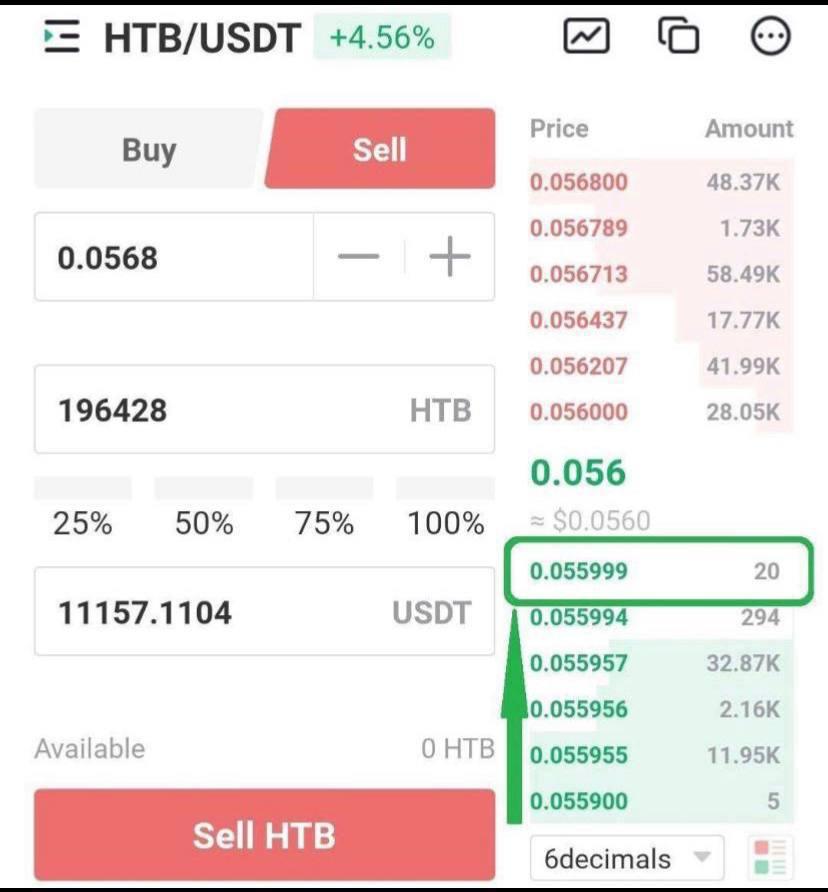
1) Set your Sell Price
Click the top right price section, circled in green, to set your selling price. This means your sell order is just below market price and ensures your order will go through.
2) Complete the Sell Order
Select 100% and click ‘SELL [COIN NAME]’. Again, if your sell order doesn’t go through quickly this is because the price has already changed past your sell order. Cancel it and create a new one.