
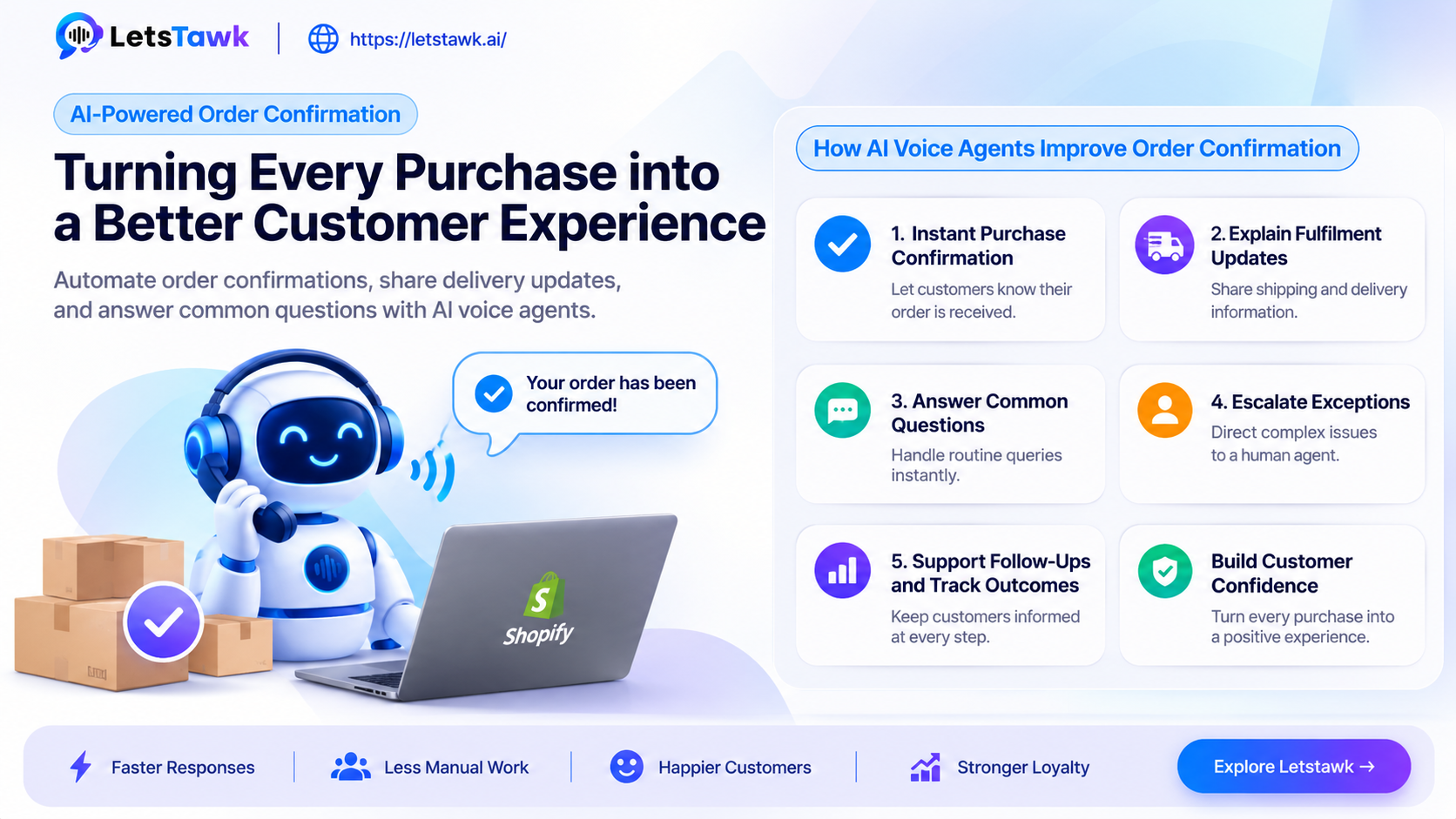
A purchase may be complete, but the customer journey does not end at checkout. Customers still want to know whether their order has been received, what happens next, when it will arrive, and whom to contact if something goes wrong. When these details are missing or delayed, uncertainty can lead to repeated support enquiries and a weaker post-purchase experience.
AI voice automation can help businesses make this stage more responsive. With a configured AI voice agent, businesses can automate routine order-confirmation conversations, provide relevant information, and direct exceptions to human employees.
Why Order Confirmation Is Often Missed or Delayed
The period immediately after a purchase is an important customer touchpoint. However, businesses may struggle to provide timely and consistent updates across orders and communication channels.
Common challenges include:
-
Delayed confirmations: Customers may be unsure whether their purchase was successfully received.
-
Busy support queues: Routine questions such as “Where is my order?” take up agents’ time.
-
Unclear next steps: Customers may need information about payment, shipping, appointments, or service fulfilment.
-
Inconsistent follow-ups: Teams may find it difficult to keep every customer updated.
-
Unresolved post-purchase concerns: Customers may need reassurance about delivery dates, service onboarding, or order changes.
-
Exceptions requiring human attention: High-value orders, failed payments, unusual requests, and fulfilment problems may need a human employee to investigate.
These issues can affect customer confidence and increase the workload on support teams.
How AI Voice Agents Can Improve Order Confirmation
An AI voice agent can handle selected post-purchase conversations according to the information, integrations, and rules configured for the business.
Here are some ways this can work:
1. Provide Instant Purchase Confirmation
After receiving an order event through a supported integration or workflow, the system can initiate a configured confirmation process. The agent can tell the customer that the purchase has been received and share relevant details available to it, such as an order reference or the next expected step.
The exact information depends on the data made available to the agent.
2. Explain Fulfilment Updates
Customers often want to know what happens after checkout. An AI agent can communicate configured information about processing, shipping, delivery expectations, appointment arrangements, or service onboarding.
For example, an online retailer could use an agent to explain that an order is being processed and direct the customer to the appropriate tracking channel when tracking information is available.
3. Answer Common Questions
Instead of requiring a support representative to answer every routine enquiry, an AI agent can respond to common questions using an approved knowledge base and available order information.
These may include questions about payment confirmation, delivery procedures, return policies, or the next steps in a service process. Responses should be limited to information the system can reliably access.
4. Escalate Exceptions to Human Employees
Not every conversation should be automated. If a customer reports a missing order, disputed payment, incorrect item, or another issue outside the agent's configured scope, the conversation can be directed to a human representative.
Where supported, the handoff can include relevant conversation details so the employee has context before responding.
5. Support Follow-Ups and Track Outcomes
Businesses can configure follow-up workflows for relevant order stages or customer responses. For example, a customer who has not received an expected update may be directed to support, while a routine confirmation can be recorded for reporting.
The available tracking and reporting depend on the connected systems and configured events.
From Purchase to Confirmation: A Practical Workflow
Consider an online retailer that receives an order for a pair of running shoes. A customer wants to know whether the order has been received, when it is expected to arrive, and how to get help if delivery is delayed.
A configured workflow could handle the interaction as follows:
-
Purchase received: The customer places an order, and the order details are recorded in the retailer's order management system. The order may include a reference number, product details, delivery address, and expected dispatch or delivery information.
-
Make order information available: If the retailer has connected its order management system to the AI voice agent, the configured integration can make relevant order details available for customer enquiries. Access should be limited to the information and operations permitted by the connection.
-
Confirm the purchase: When the customer calls, the AI agent can request the order reference and any required identity-verification details. If the order can be located and the available information confirms its status, the agent can communicate the purchase confirmation and relevant fulfilment details.
-
Respond to delivery questions: If the customer asks when the shoes will arrive, the agent can retrieve or refer to the delivery information available through its configured knowledge or connected system. For example, it could communicate the estimated delivery date if that information is available. It should not invent a delivery estimate when the system does not provide one.
-
Handle follow-up events: If a supported order event occurs, such as dispatch confirmation or a delivery-status update, a configured workflow may trigger a customer notification or follow-up call. The event source, communication channel, timing, and customer-contact permissions must be established in advance.
-
Escalate exceptions: If the order reference cannot be matched, delivery information is unavailable, or the customer reports a problem requiring investigation, the agent can direct the enquiry to a support employee. Where the integration supports it, the call summary and relevant order details can also be shared with the support team or recorded in its connected system.
This example shows how an AI voice agent could support order confirmations and delivery enquiries without treating every operation as an automatic capability. Order lookups, identity verification, status retrieval, event-triggered communication, and record updates depend on the connected applications, supported operations, and configured permissions. Businesses should test each step, including unsuccessful lookups and human handoffs, before deploying the workflow.
Connect Order Confirmation with Business Systems
Order confirmation often involves more than a single communication tool. Depending on the supported integration and configuration, Letstawk can connect with business systems such as:
-
CRM: Keep relevant customer and conversation information available to the team.
-
Order management: Access or coordinate order-related information.
-
Messaging: Support customer updates through connected communication channels.
-
Payments: Work with payment-related workflows where the required integration is available.
-
Business automation: Trigger configured follow-ups and next steps.
-
Knowledge base: Provide approved product, policy, and process information to the AI agent.
Before deployment, businesses should verify which systems, data fields, and actions are supported by their chosen integration.
Building Customer Confidence After Purchase
A useful order-confirmation process does more than acknowledge a transaction. It helps customers understand what has happened, what to expect, and where to get help.
By automating suitable routine conversations, Letstawk can help businesses structure post-purchase communication while keeping human employees involved when a situation requires judgement or investigation. The goal is not to remove human support, but to make routine interactions easier to manage and important exceptions easier to identify.
Ready to improve your post-purchase experience? Explore Letstawk's Order Confirmation Process and try Letstawk to see how AI voice agents could support your order-confirmation workflows.
Before enabling outbound AI calls or call recording, check the requirements that apply to the caller, recipient and campaign. Obtain any required consent and provide required disclosures. Configure calling permissions, recording settings, opt-out handling and access to customer data accordingly. Requirements vary by jurisdiction and use case; confirm the setup with your compliance/legal adviser.