
Best Online Storage for Photos In a Few Thousand Words - Updated 2018
Best Online Storage for Photos In a Few Thousand Words

A photo is worth a thousand words, but what if you have a thousand photos and no space to store them all? For the shutterbug running short on hard-drive space, burning through stacks of CDs has long since been a thing of the past.
Today, there’s no better solution than storing photos in the cloud; now all you need is to find the best cloud storage for photos.
Below you’ll find our top five, culled from our best cloud storage picks. pCloud ultimately lands the top slot thanks to its combination of security, value and photo-sharing features. However, for some the choice may not be exactly black and white, as each of our picks is designed to appeal to slightly different needs.
Before getting to our picks, though, some readers might benefit from better understanding the criteria we used to determine them. We promise to make it snappy.
5 Best Online Storage for Photos 2018
- Sync Folder
- File Link Sharing
- Folder Sharing
- Versioning
- Sync Folder
- File Link Sharing
- Folder Sharing
- Versioning
Individual business plan
- Sync Folder
- File Link Sharing
- Folder Sharing
- Versioning
Annual Discount: 16%
Annual Discount: 17%
Annual Discount: n/a
Annual Discount: n/a
Annual Discount: n/a
Annual Discount: n/a
- Sync Folder
- File Link Sharing
- Folder Sharing
- Versioning
- Sync Folder
- File Link Sharing
- Folder Sharing
- Versioning
What Makes Cloud Storage the Best for Photos
As cameras get better, photos get bigger in size. That means you’re going to need plenty of storage space to keep all of them in, and, as such, the first element we considered in putting together our list was total storage and its cost.
After that, the needs of users become more diverse. For those that want to be able to view their photos without having to download them, some form of image viewer is handy. A handful of cloud storage solutions not only let you view photos, but edit them, too, so we took those capabilities into consideration as well.
Since many of us enjoy using our smartphones for conducting impromptu photoshoots, a mobile app with automatic photo upload to the cloud is useful for saving time. Automatic upload also makes sure you don’t overlook photos that will be lost when you inevitably drop your phone in the toilet.
File versioning is another key feature for safeguarding your precious moments, as it lets you rollback files that have been corrupted to clean versions. That way, you don’t have to try your luck with photo recovery software.
As social media continues to grow in popularity, photo-sharing features that let you post social media platforms are also useful.
Of course, some people — for example, Hollywood celebrities — are probably more concerned with privacy. Given that, we also gave some weight to security, with a preference for zero-knowledge encryption.
Not one of our picks hits on every single point. So, while we were pretty confident that our top choice would be the best photo storage solution for most users, you’ll want to have a look at the other options if you have needs that pCloud doesn’t meet. Now, let’s get to it.
Best Cloud Storage for Photos: pCloud
When it comes to keeping photos in the cloud, pCloud just clicks. The quality that will likely stand out for most photographers, amateur and professional, is the value.
For just $8 per month with an annual commitment, you can get 2TB of cloud storage. That’s twice as much as you get with Google for a dollar less. You can also go month-to-month for $10 if you’re not thrilled with the idea of commitment.
pCloud is also one our picks for best free cloud storage for those without many photos to preserve. You can get 10GB for free and earn another 10GB through referrals and other steps.
You can make full use of that space to collect your selfies and other smartphones shots with apps for Android and iOS, and an option for automatic photo upload. There are no bandwidth limits on remote upload traffic to slow you down. However, an option to only upload over WiFi would be useful in order to preserve mobile data limits.
pCloud is also able to interface with other cloud services to back them up, including pulling photos from both Facebook and Instagram.
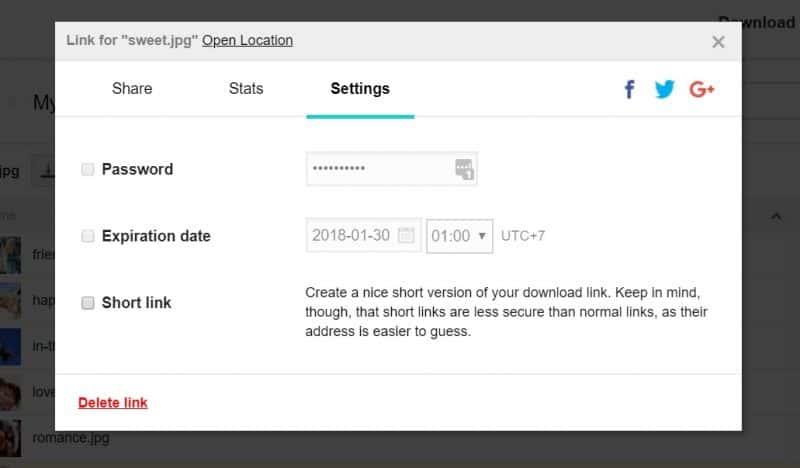
For sharing photos, pCloud lets you create URL links to each image, which can be emailed to others or posted to Facebook, Twitter and Google Plus. To keep your photo links secure, you can also add password and expiry dates to them.
Besides sharing individual photos, with pCloud you can also prepare and share slideshows.

While pCloud doesn’t have any nifty photo editing options, you can at least resized images, with options for creating a desktop wallpaper, banner ads and the like.
As far as security, pCloud offers an add-on called pCloud Crypto that creates a zero-knowledge folder. Photos stored in this folder can’t be decrypted by anybody but you, although they also can’t be shared. Then again, some private pics are best kept private, anyway.
Another add-on called extended file version history increases pCloud versioning and deleted file recovery from the normal 30 days to 365. In addition to rolling back corruptions of image files, this a great way to keep your family photos being held hostage in a ransomware attack.
Other Reasons We Like pCloud
Along with photos, pCloud is great for storing both video and music files, with playback options for both. That makes it an all-around great option for media lovers.
Recently, pCloud started offering lifetime plans where you can secure your 2TB of storage for $250. That works out to about 2.5 years of pCloud payments on an annual plan. Whether that’s a great deal or not, we’ll leave up to you to decide, although our full pCloud review can help you make that determination.
Pros:
- Inexpensive 2TB plan
- Automatic photo uploads
- Zero-knowledge encryption
Cons:
- No photo recognition
- No photo editing
Like pCloud, Sync.com has a 2TB plan that will cost you about $8 per month. However, unlike pCloud, zero-knowledge encryption won’t cost you extra: its included in the price and is always on.
Photo enthusiasts who insist on strong security for all files what will likely prefer Sync.com over pCloud because of that. Sync.com even extends zero-knowledge encryption to photos that are shared, which pCloud isn’t capable of.

On the other hand, the fact that files stored in the Sync.com cloud are always under the protection of zero-knowledge encryption means that there are certain things Sync.com can’t do, including letting you preview photos through your browser.
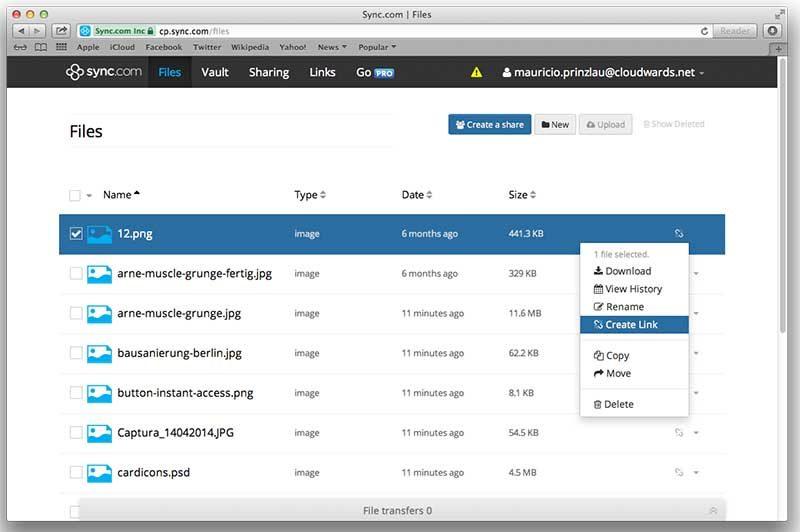
In addition to zero-knowledge file sharing, Sync.com takes several other steps that make it perhaps the best cloud storage for file sharing overall. These include password protection and expiry dates for link sharing, plus the ability to set download limits. Such protections help ensure your photos stay private.
Sync.com also secures you against file corruptions with the best versioning system we’ve seen. While versioning defaults to 30 days, you can increase that as much as much as you want and, unlike pCloud, it won’t cost you extra to do so.
Other Reasons We Like Sync.com
Sync.com has a 5GB free storage plan, which in itself doesn’t impress. However, you can earn 1GB of addition free storage for each friend you refer, with no cap on how many referrals you can make. That makes it one of most generous referral programs we’ve seen.
If you’re having trouble picking between Sync.com and pCloud, a look at our comparison piece on the two services will help you make a decision, along with reading our complete Sync.com review.
Pros:
- Inexpensive 2TB plan
- Zero-knowledge encryption
- Unlimited file versioning
Cons:
Google Photos / Google Drive
Many users never look beyond Google Photos for storing photos, and with good reason: it’s really convenient. Google Photos is technically a separate service from Google Drive, but both services, and Gmail, share space in the cloud.
From within the Google Photos GUI, you can preview and edit photos. Google Assistant will even automatically stylize photos for you, which you can then share to Facebook, Twitter or Google Plus. You can also create shared albums.
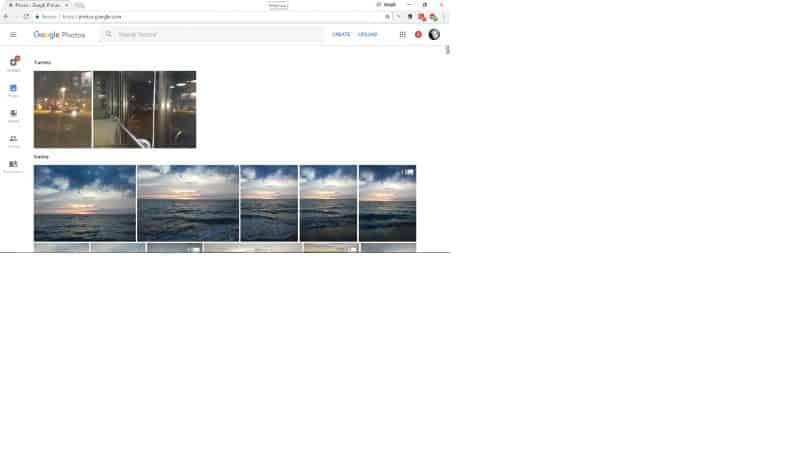
Google Photos is especially convenient for Android users thanks to the fact that the mobile app can automatically uploads photos taken with your smartphone camera. Many cloud storage services do the same, however.
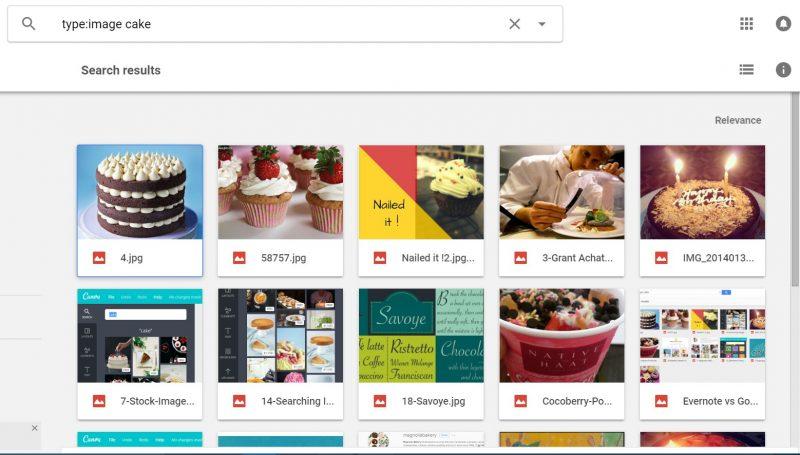
The real value of Google Photos is in its search capabilities, which shouldn’t be a surprise given that Google is, afterall, the King of Search. Using machine learning algorithms, Google Photos will categorize objects in photos and use location data to sort them.
buy research paper online of that saves you from having to sort photos yourself. Google Photos can even recognize specific people in your photos using facial recognition, prompting you to share your photos with them.
On the other hand, for privacy conscious, Google’s ability to filter content might go too far. The fact that Google can analyze your photos raises privacy concerns, and privacy has never been Google’s strong suit. The company is strongly connected to PRISM and, according its own terms and conditions, reserves the right to use data it collects for targeted marketing.
You can read more about the potential for privacy issues in our Google Drive review.
When making a choice to store photos with Google, you’re making a choice of convenience over privacy. In this sense, the service is the antithesis of Sync.com. For a convenient middle ground, we suggest sticking just with pCloud.
Other Reasons We Like Google Photos
Create a Google account, and you’re automatically given 15GB of free storage. Beyond that, Google Drive has multiple storage tiers available. While you won’t find near the value here you will with our top two picks when it comes to higher-tiered storage plans, the Google Drive 100GB plan for $2 a month is perfect for those who only need limited cloud space for their photos.
Google Drive also integrates with a number of handy third-party tools, which include image editors like Pixlr.
Pros:
- Analyzes photos with machine learning
- Great third-party tools
- 15GB of free storage